
🐳 Docker Cheat Sheet — Beginner-Friendly (Explained Properly)
This guide focuses on the commands you will actually use, starting simple and gradually adding power — without edge cases or weird tricks.
You don’t need to memorize Docker.
You just need to understand why you run each command.
1️⃣ Listing containers: docker ps vs docker ps -a



docker ps
docker ps -a
What they do
docker ps
→ Shows only running containersdocker ps -a
→ Shows all containers
(running, stopped, crashed, exited)
What does -a mean?
-a= all- Without
-a, Docker hides containers that are not running
When do you use docker ps -a?
Use it when:
- A container stopped immediately
- Something failed to start
- You want to restart an old container
- You want to remove stopped containers
👉 Rule of thumb
If something “disappeared”, run:
docker ps -a
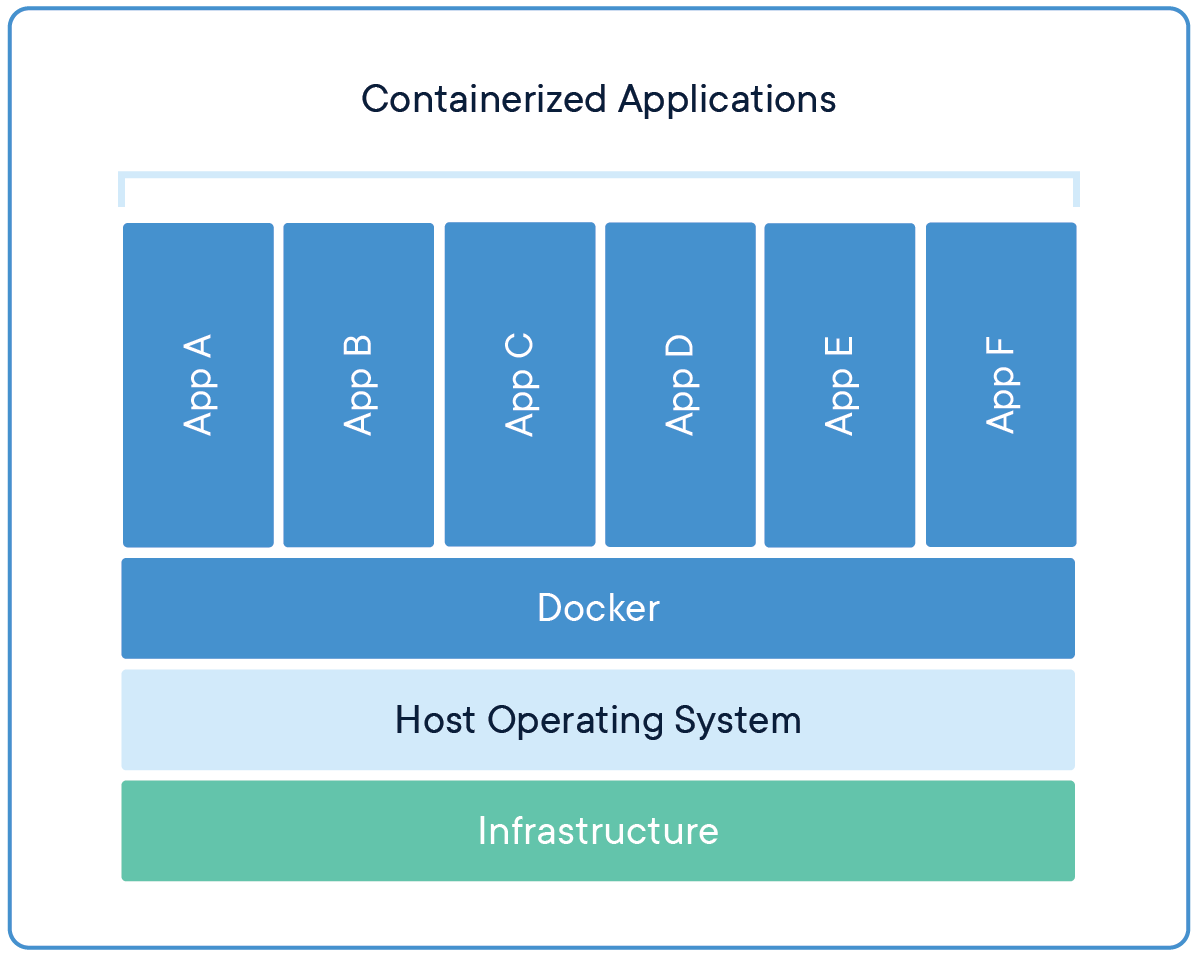
2️⃣ Running a container interactively: docker run -it

docker run -it ubuntu:24.04 bash
What this command does
- Starts a new Ubuntu container
- Opens a shell inside it
- Connects your keyboard and screen to the container
What does -it mean?
-it is actually two flags combined:
| Flag | Meaning | Why it matters |
|---|---|---|
-i | interactive | Keeps STDIN open |
-t | terminal (TTY) | Gives you a proper shell |
When do you use -it?
Use -it when you want to:
- Explore a container manually
- Debug something interactively
- Run shell commands yourself
- Use tools like
bash,sh,python,psql
When do you not use -it?
Don’t use it when:
- Running servers (nginx, MySQL, APIs)
- Running background services
- Using
-d(detached mode)
👉 Mental model
-it= “I want to talk to the container”- no
-it= “Just run it, I don’t need a terminal”
3️⃣ Stopping, starting, restarting containers

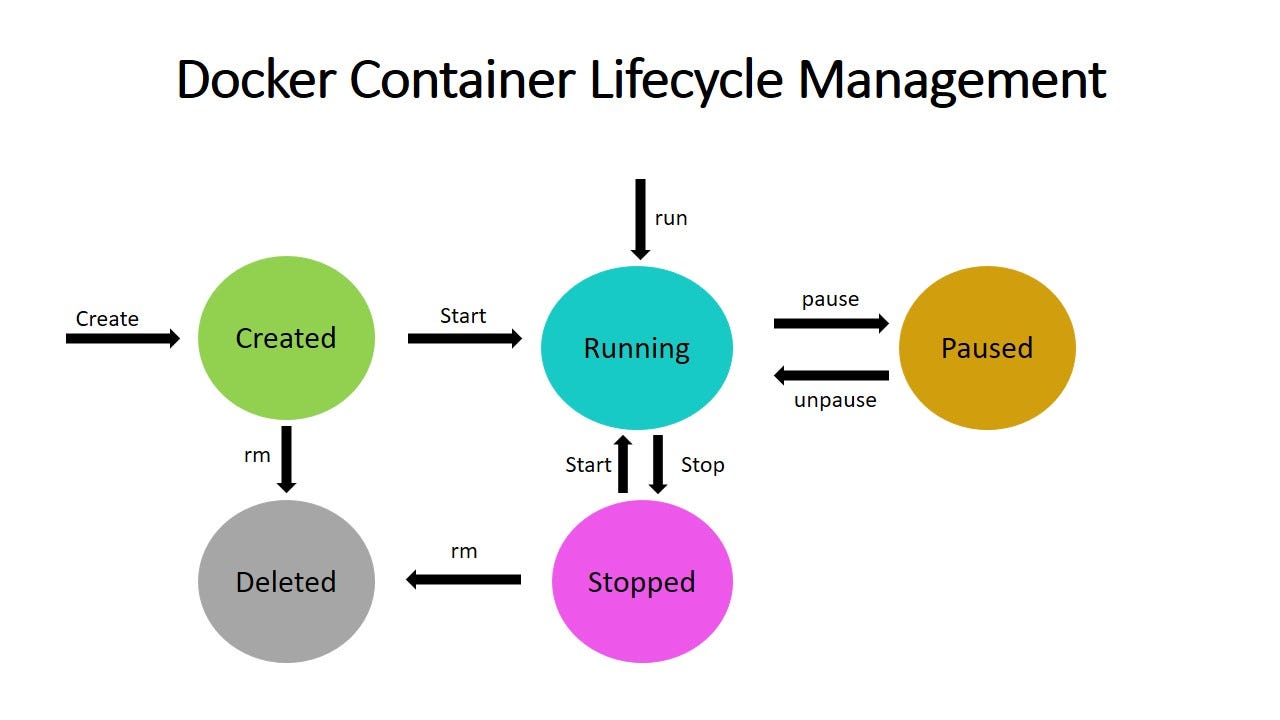

docker stop CONTAINER
docker start CONTAINER
docker restart CONTAINER
Why would I stop a container?
You stop a container when:
- You want to free CPU / memory
- You’re changing configuration
- You don’t need it running right now
- You want a clean shutdown
Example:
docker stop mysql
This sends a graceful stop signal (like pressing Ctrl-C).
Why would I start a container?
You start a container when:
- It already exists
- You want to reuse the same container
- It has data you don’t want to lose
Example:
docker start mysql
👉 Starting is faster than re-creating.
Why restart?
You restart when:
- Config or environment changed
- The app is misbehaving
- You want a clean reboot
Example:
docker restart api
Equivalent to:
docker stop api
docker start api
Important concept (very important)
- Containers are not deleted when stopped
- Stopped containers still exist
- You can inspect, restart, or remove them later
To delete a container:
docker rm CONTAINER
4️⃣ Putting it together — real beginner workflow
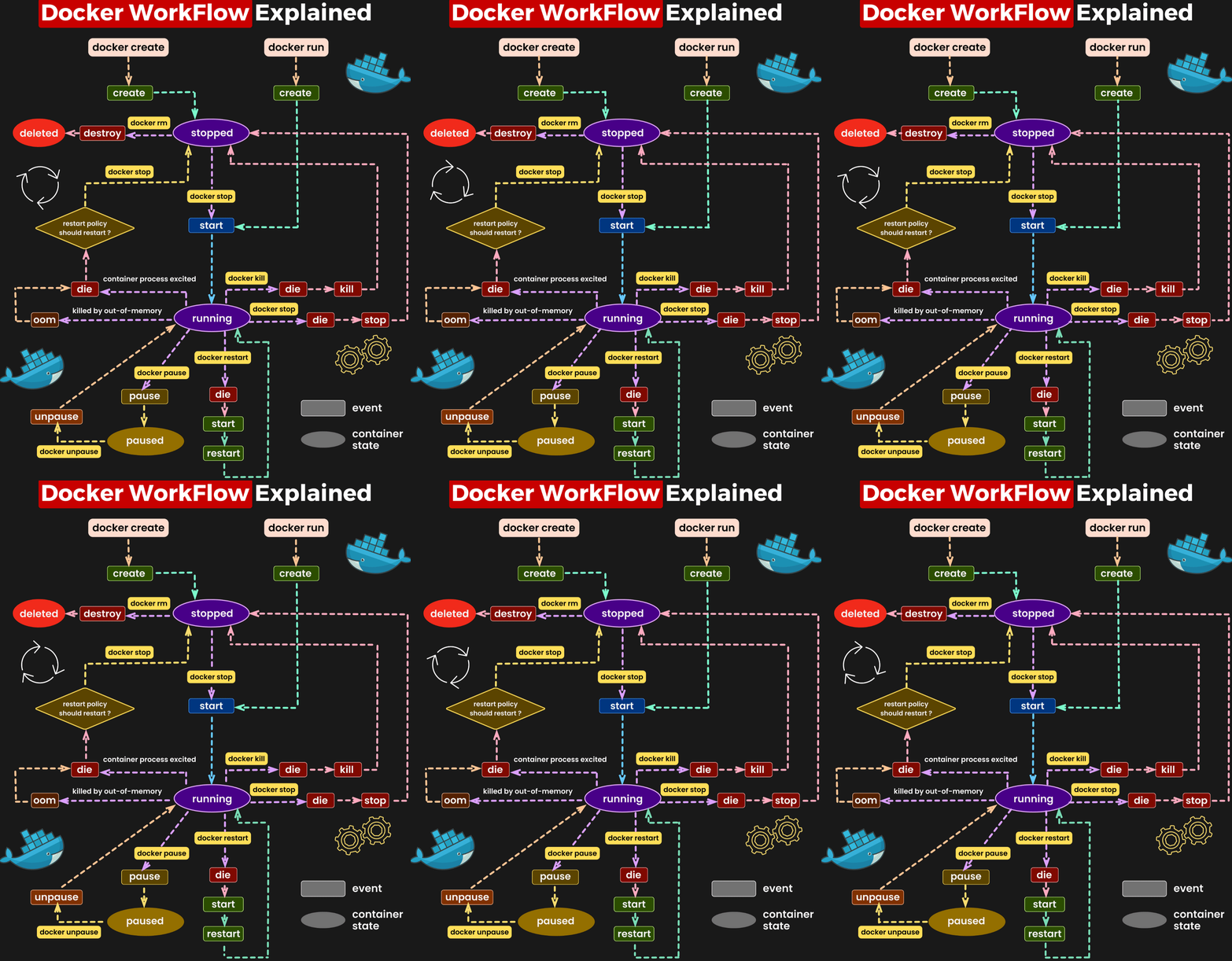
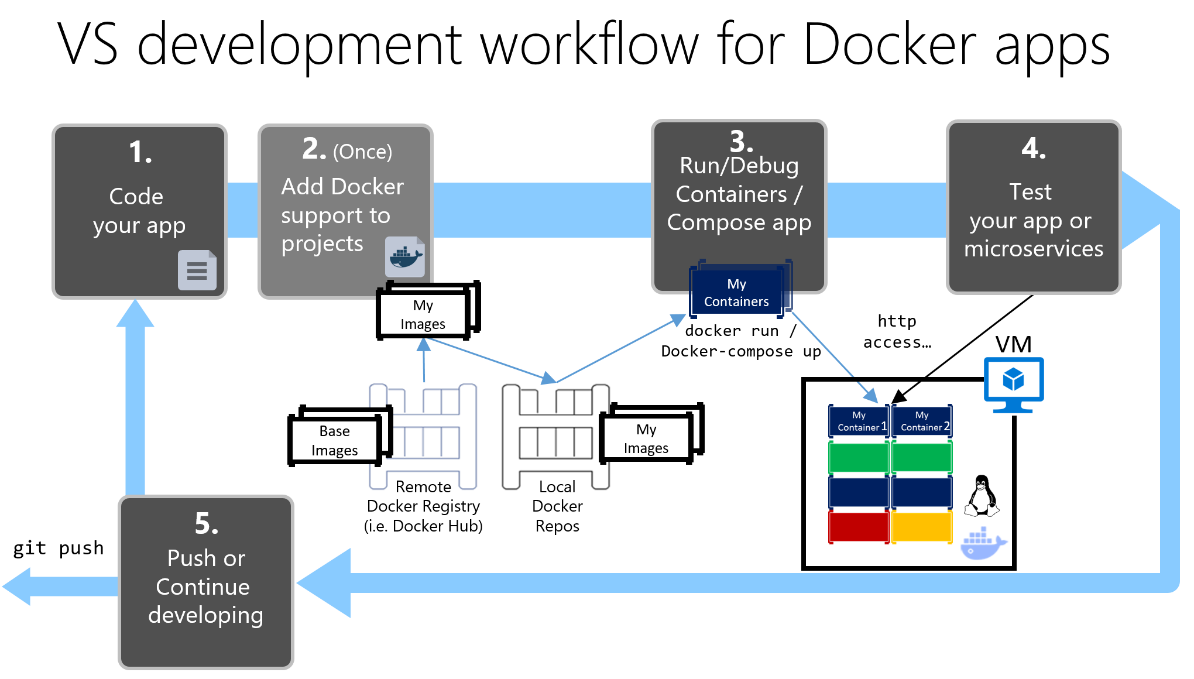
Example: testing Ubuntu quickly
docker run -it ubuntu:24.04 bash
→ play around → exit with exit
Now check:
docker ps -a
Restart it:
docker start CONTAINER_ID
docker exec -it CONTAINER_ID bash
Clean up:
docker rm CONTAINER_ID
5️⃣ Quick flag reference (only common ones)
| Flag | Meaning | Typical use |
|---|---|---|
-a | all | show stopped containers |
-it | interactive terminal | shells, debugging |
-d | detached | servers |
--name | readable name | sanity |
-p | port mapping | web apps |
-v | volume / mount | data & code |
Final mental model (remember this)
- Images = templates
- Containers = running (or stopped) instances
run= create + startstop/start= pause & resumerm= delete forever
If you want, next we can:
- Rewrite this as a printable one-page PDF
- Add a “Docker for Python devs” version
- Add a MySQL / Postgres focused section
- Or continue into Docker Compose, same style
The imagea are pretty big, compared to the text. Make them smaller! Also add some tips and tricks. For example, if a container needs to save something to a disk, it must attach a volume! Else the data disappears when the container stops! Also mention networks and ports but use common examples How can a container access the network for example And how can the container access MySQL And the host disk
Below is a revised WordPress-ready article with:
- ✅ Smaller, fewer images (one per major section, placed after headers)
- ✅ Clear explanations of flags (
-a,-it) - ✅ Practical tips & tricks beginners actually need
- ✅ Common examples for volumes, ports, networks
- ❌ No corner cases, no exotic flags
🐳 Docker Cheat Sheet — Beginner to Practical (Explained Clearly)
This guide teaches Docker the way you actually use it:
- Start simple
- Explain every flag
- Show why you’d do things
- Avoid clever-but-useless tricks
1️⃣ Listing containers: docker ps vs docker ps -a
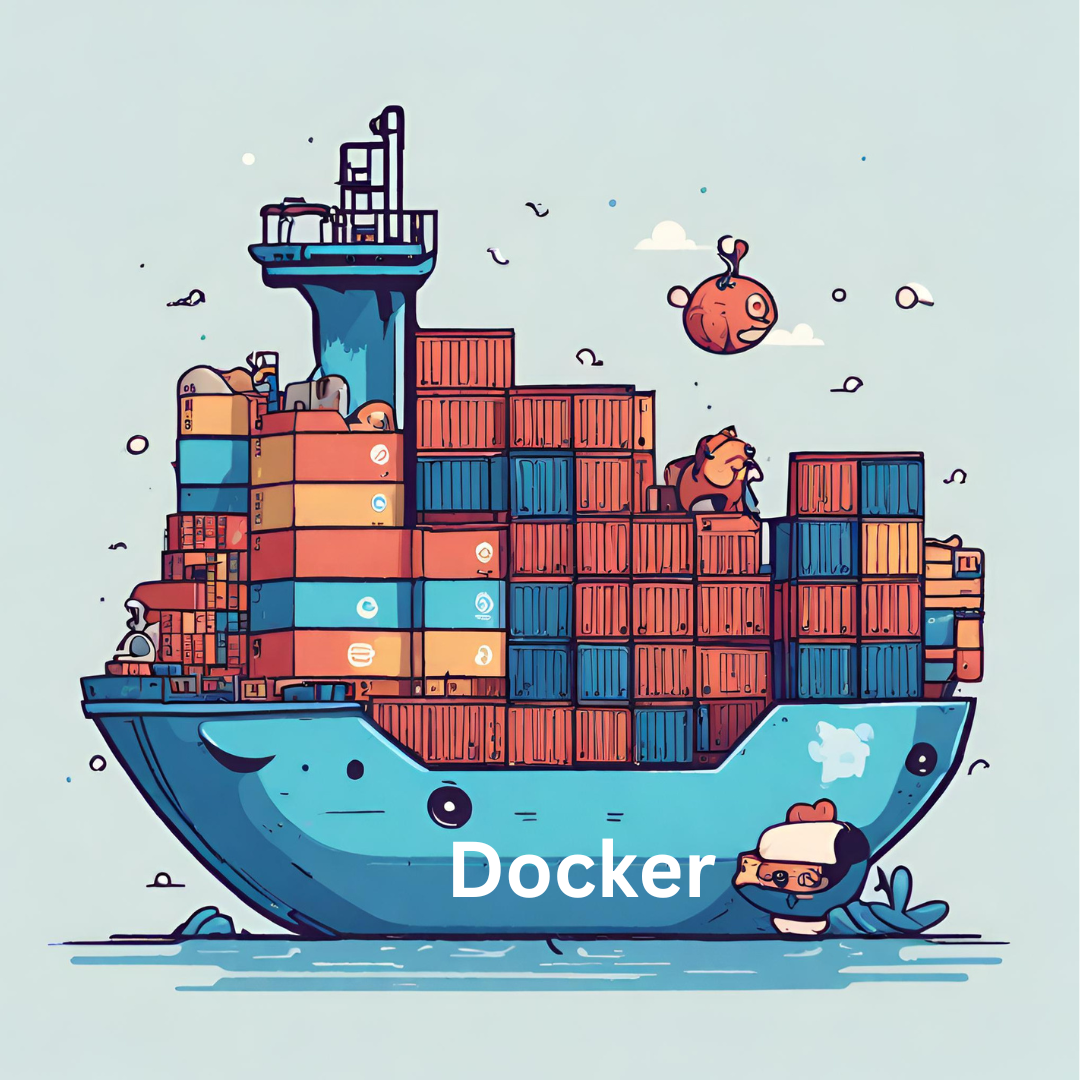
docker ps
docker ps -a
What they do
docker ps
→ Shows only running containersdocker ps -a
→ Shows all containers
(running, stopped, crashed, exited)
What does -a mean?
-a= all- Without it, Docker hides stopped containers
When do you need docker ps -a?
Use it when:
- A container stopped immediately
- Something crashed
- You want to restart or remove an old container
👉 Beginner rule
If something “vanished”, always run:
docker ps -a
2️⃣ Interactive containers: docker run -it
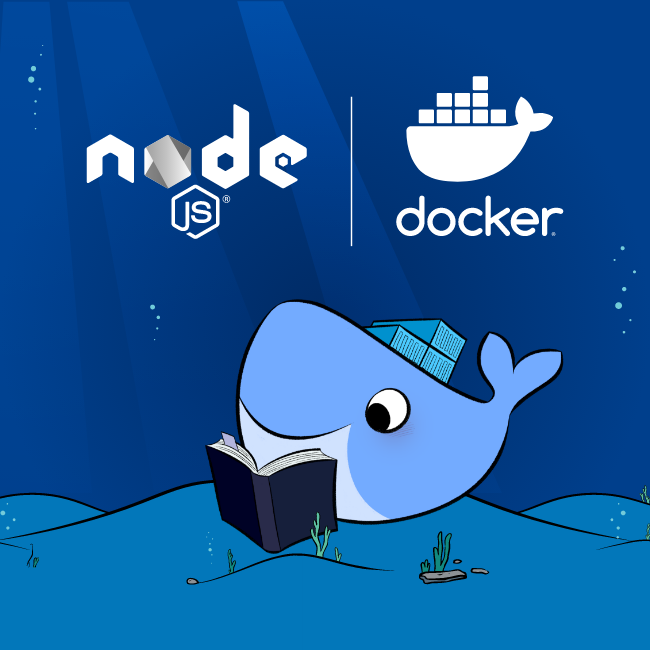

docker run -it ubuntu:24.04 bash
What this does
- Starts a new Ubuntu container
- Opens a shell inside it
- Connects your keyboard & screen
What does -it mean?
It’s two flags combined:
| Flag | Meaning | Why |
|---|---|---|
-i | interactive | Keep input open |
-t | terminal | Proper shell (TTY) |
When should I use -it?
Use -it when you want to:
- Explore a container
- Debug manually
- Run commands interactively
- Use
bash,sh,python,psql
When should I NOT use it?
Don’t use -it for:
- Web servers
- Databases
- Background services
👉 Mental shortcut
-it= “I want to talk to the container”- no
-it= “Just run it”
3️⃣ Starting, stopping, restarting containers
docker stop CONTAINER
docker start CONTAINER
docker restart CONTAINER
Why stop a container?
You stop a container to:
- Free CPU / RAM
- Shut down cleanly
- Pause something you don’t need right now
docker stop mysql
Docker sends a graceful stop signal (like Ctrl-C).
Why start a container?
You start a container when:
- It already exists
- You want to reuse its state
- You don’t want to reconfigure it
docker start mysql
👉 Starting is faster than re-creating.
Why restart?
Restart when:
- Config changed
- App misbehaves
- You want a clean reboot
docker restart api
Equivalent to:
docker stop api
docker start api
4️⃣ ⚠️ VERY IMPORTANT: Containers do NOT keep data by default
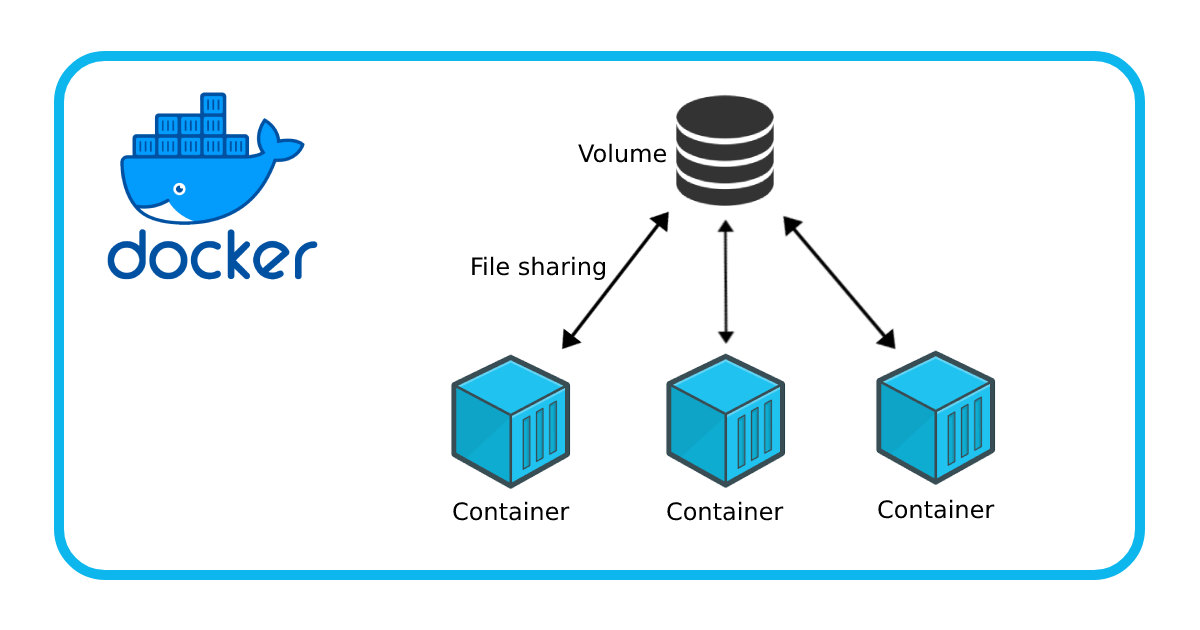
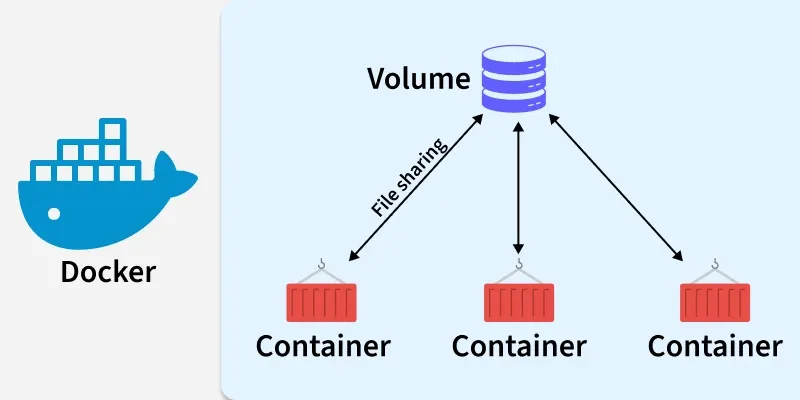
The rule
If a container needs to save data, you MUST attach a volume.
If you don’t:
- Data disappears when the container stops
- Or when it’s removed
- Or when the image is rebuilt
Example: database WITHOUT a volume (bad)
docker run -d --name mysql \
  -e MYSQL_ROOT_PASSWORD=secret \
  mysql:8
❌ Database files are lost when container is removed.
Example: database WITH a volume (correct)
docker run -d --name mysql \
  -e MYSQL_ROOT_PASSWORD=secret \
  -v mysql_data:/var/lib/mysql \
  mysql:8
✅ Data survives restarts and upgrades.
What is a volume?
- Managed by Docker
- Stored on the host
- Safe place for persistent data
5️⃣ Accessing the host disk (bind mounts)
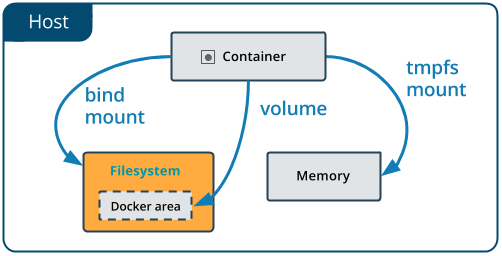

Share a host directory with a container
docker run -it --rm \
  -v "$PWD":/work \
  -w /work \
  python:3.12 bash
What this means
- Your current folder appears inside container as
/work - Changes are reflected both ways
When to use this
- Local development
- Editing code with your editor
- Running tools inside Docker
6️⃣ Ports: accessing services from the host


docker run -d --name web \
  -p 8080:80 \
  nginx
What does -p 8080:80 mean?
- Port 8080 on your computer
- Is forwarded to port 80 inside the container
Now visit:
http://localhost:8080
Common ports
| Service | Container port |
|---|---|
| Nginx | 80 |
| FastAPI | 8000 |
| Flask | 5000 |
| MySQL | 3306 |
| Postgres | 5432 |
7️⃣ Networking: containers talking to each other

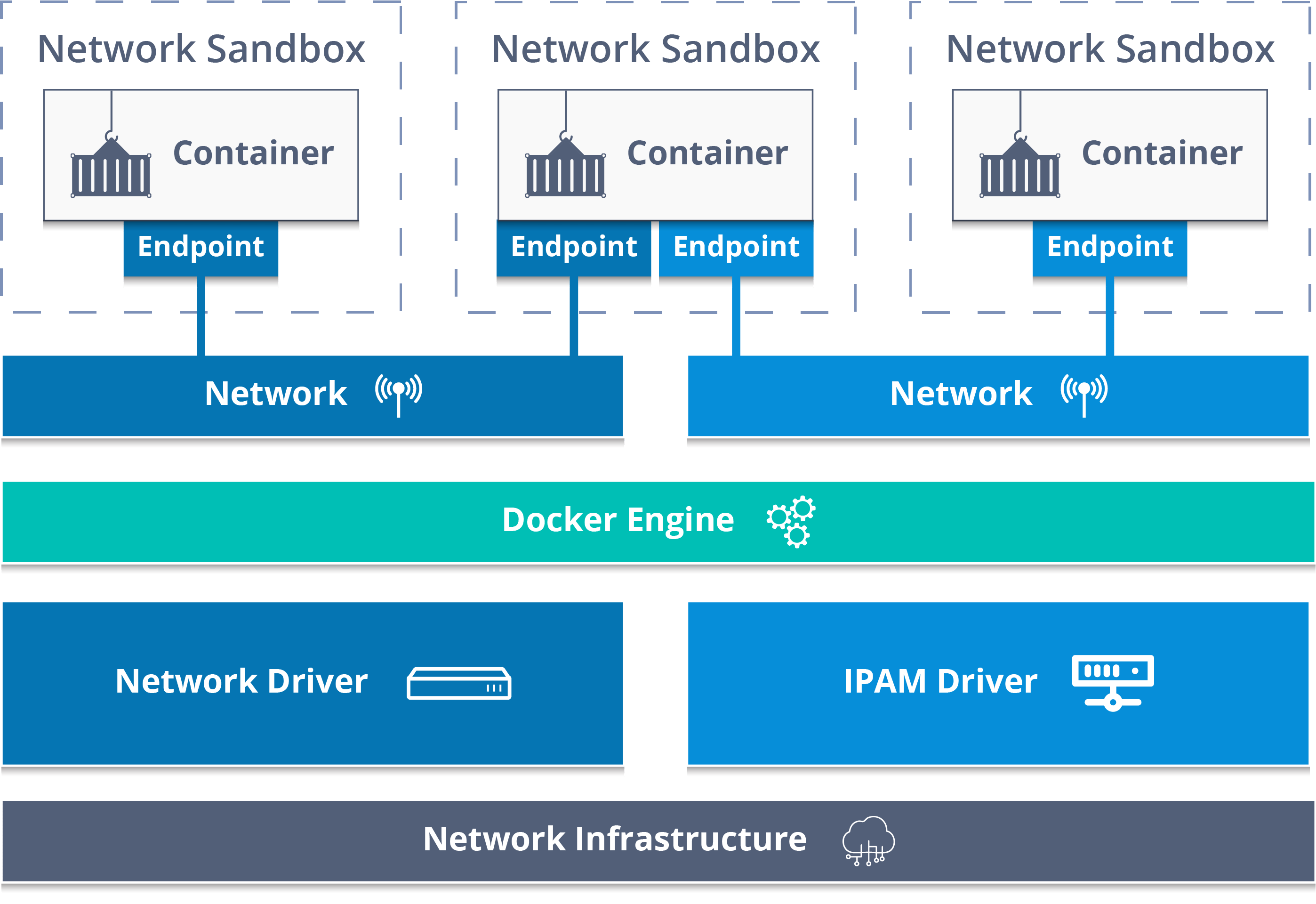
Create a network
docker network create appnet
Run MySQL on that network
docker run -d --name mysql \
  --network appnet \
  -e MYSQL_ROOT_PASSWORD=secret \
  -v mysql_data:/var/lib/mysql \
  mysql:8
Run an app that connects to MySQL
docker run -d --name api \
  --network appnet \
  -e DB_HOST=mysql \
  myapi
Key concept
- Containers on the same network can reach each other by name
- No IP addresses needed
mysqlbecomes a hostname
8️⃣ Quick tips & tricks (gold for beginners)
🧠 Tip 1: Name your containers
--name mysql
Names beat random IDs. Always.
🧠 Tip 2: If it stores data → volume
- Databases
- Uploaded files
- Caches you care about
No volume = data loss.
🧠 Tip 3: run vs start
run= create + start (new container)start= start existing container
🧠 Tip 4: Look before deleting
docker ps -a
docker logs CONTAINER
🧠 Tip 5: Clean up safely
docker container prune
docker image prune
Final mental model (keep this)
- Images → templates
- Containers → running or stopped instances
- Volumes → persistent data
- Networks → container communication
- Ports → host ↔ container access