
Open-Source LLMs You Can Run Locally (2025 Guide)
Large Language Models are no longer cloud-only.
Today, several open or open-weight models can be run entirely on your own machine, giving you privacy, control, and predictable costs.
This guide explains which models matter, what hardware you need, and which ones are worth running locally in 2025.
Why Run an LLM Locally?
Running locally means:
- 🔐 Your data never leaves your machine
- 💸 No API costs
- ⚡ Low-latency responses
- 🛠️ Full control over tuning, prompts, and tooling
The trade-off is hardware requirements — mainly RAM and GPU memory.
How to Read the Tables (Important)
Memory numbers assume INT4 / Q4 quantization, which is the standard for local inference.
| Term | Meaning |
|---|---|
| RAM | System memory (CPU inference) |
| VRAM | GPU memory (much faster) |
| Q4 | 4-bit quantization (best balance) |
The Most Popular Open Models (At a Glance)

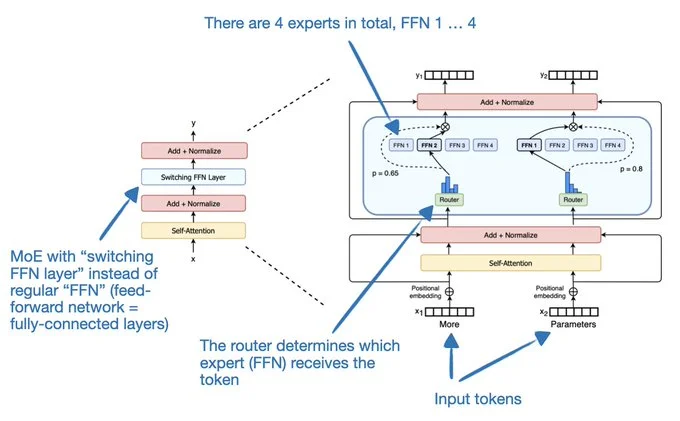
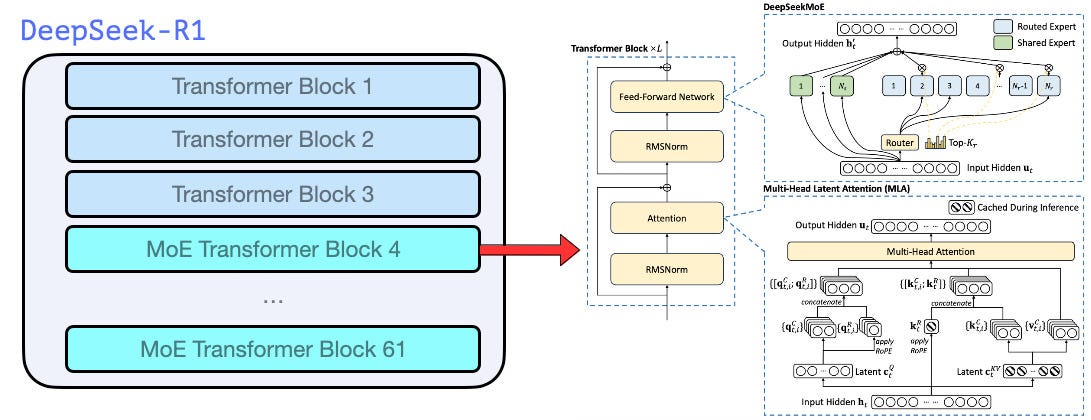
5
Meta LLaMA – The Default Choice
Meta’s LLaMA models are the reference standard for local LLMs: strong reasoning, huge ecosystem, excellent tooling.
LLaMA 3.1 Memory Requirements
| Model | Parameters | RAM (Q4) | VRAM (Q4) | Typical Use |
|---|---|---|---|---|
| LLaMA 3.1 8B | 8B | 6–8 GB | ~6 GB | Best all-round local model |
| LLaMA 3.1 70B | 70B | 40–48 GB | ~40 GB | Research, agents, long reasoning |
| LLaMA 3.1 405B | 405B | ❌ | ❌ | Datacenter-only |
Verdict:
👉 If you run only one local model, make it LLaMA 3.1 8B.
Mistral & Mixtral – Smarter per Token
Mistral models are known for efficiency and speed.
Mixtral uses a Mixture-of-Experts (MoE) architecture, activating only parts of the model per request.
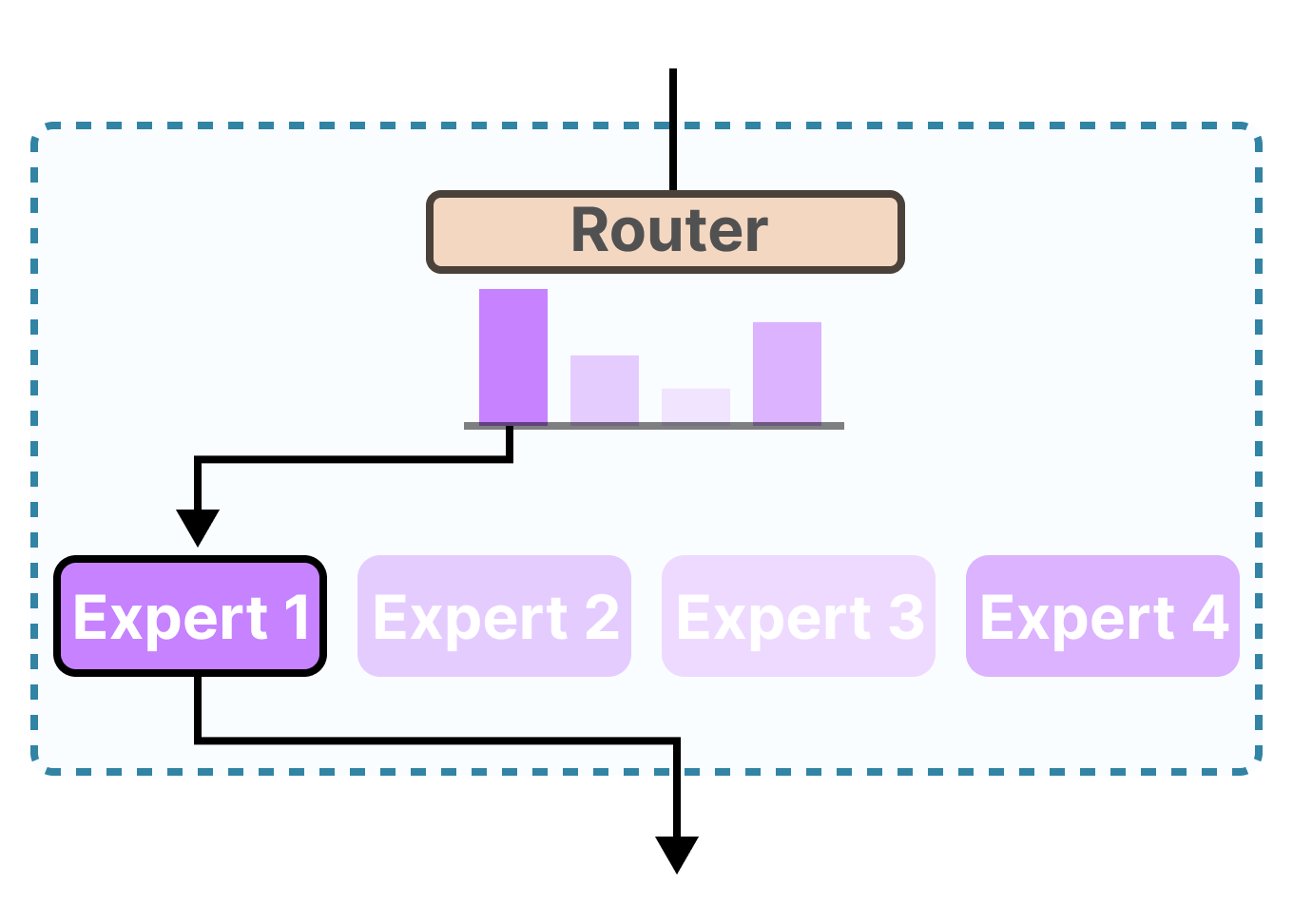

Mistral / Mixtral Memory Table
| Model | Parameters | RAM (Q4) | VRAM (Q4) | Notes |
|---|---|---|---|---|
| Mistral 7B | 7B | ~5 GB | ~5 GB | Fast, efficient |
| Mixtral 8x7B | ~47B active | 30–36 GB | 24–32 GB | Excellent quality |
| Mixtral 8x22B | ~141B active | 80–100 GB | 60–80 GB | Serious workstation |
Verdict:
👉 Mixtral 8×7B is one of the best “feels like GPT-4” local models.
DeepSeek – Reasoning Monsters
DeepSeek models punch far above their size, especially for logic, analysis, and math.
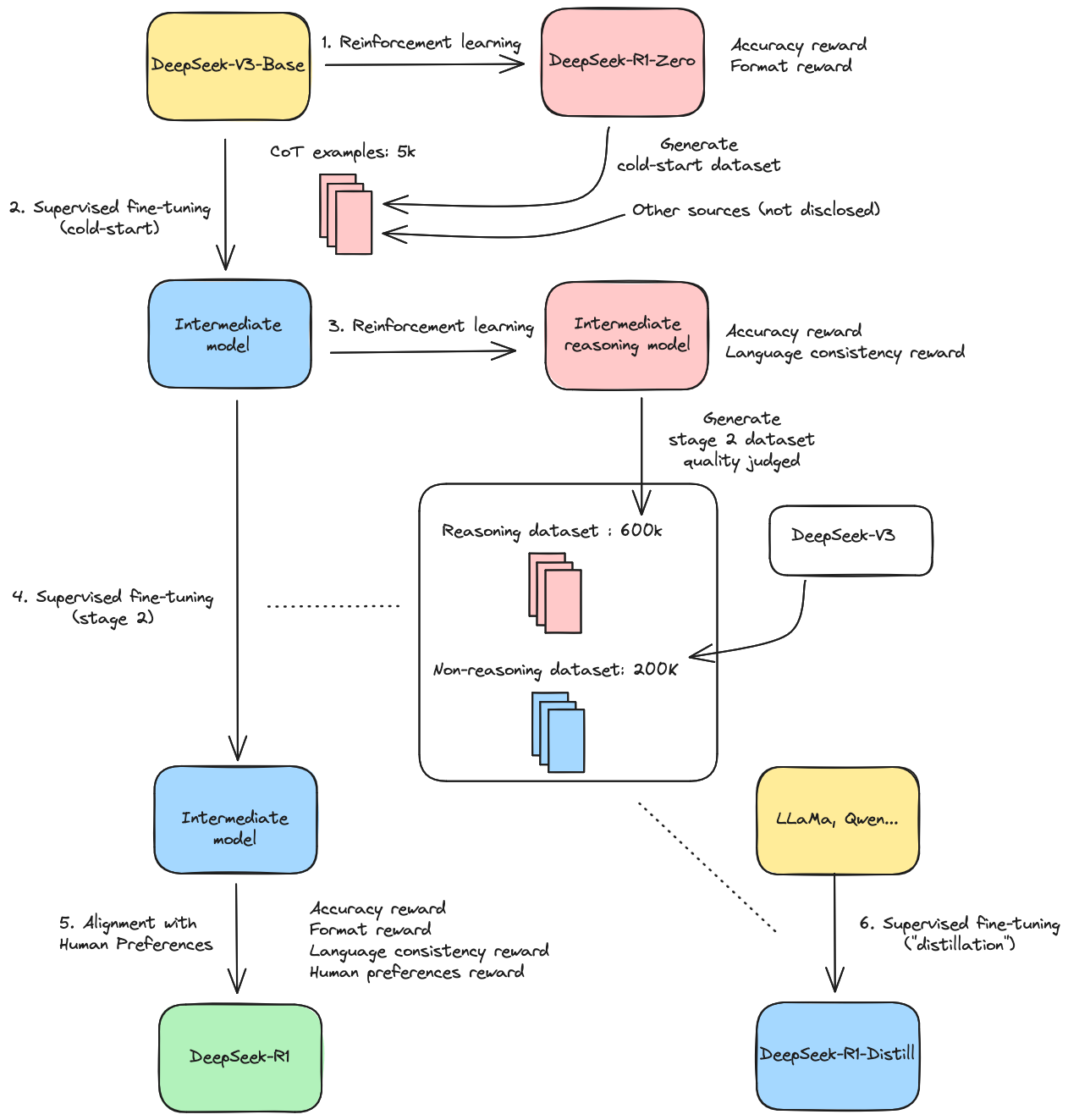

DeepSeek Memory Requirements
| Model | Parameters | RAM (Q4) | VRAM (Q4) | Best For |
|---|---|---|---|---|
| DeepSeek-R1 7B | 7B | ~6 GB | ~6 GB | Lightweight reasoning |
| DeepSeek-R1 32B | 32B | 20–24 GB | ~20 GB | Deep analysis |
| DeepSeek-V2 | 236B | ❌ | ❌ | Not local |
Verdict:
👉 Best reasoning per GB of RAM available today.
Coding-Focused Open Models
If you want code completion, refactoring, or architecture reasoning, use a model trained specifically for code.
Coding Models (Local)
| Model | Parameters | RAM (Q4) | VRAM (Q4) | Strength |
|---|---|---|---|---|
| Code LLaMA 13B | 13B | ~10 GB | ~10 GB | Solid baseline |
| Codestral 22B | 22B | 14–18 GB | ~16 GB | Excellent reasoning |
| Qwen2.5-Coder 32B | 32B | 20–24 GB | ~20 GB | Top-tier open coder |
Small Models for Laptops & Miniservers
Not everyone has a GPU monster — these models work on 32 GB laptops.


| Model | Parameters | RAM (Q4) | Why Use It |
|---|---|---|---|
| Phi-3 Mini | 3.8B | ~3 GB | Shockingly capable |
| Gemma 2 9B | 9B | 7–8 GB | Good quality per byte |
Recommended Hardware Setups
| Setup | What You Can Run |
|---|---|
| Laptop (32 GB RAM) | 7B–13B models |
| RTX 3090 / 4090 (24 GB) | 7B–32B, Mixtral 8×7B |
| Dual-GPU workstation | 70B class models |
| CPU-only server (128 GB RAM) | 32B–70B (slower) |
Recommended Software Stack
- Inference:
llama.cpp,exllama2,vLLM - Model formats: GGUF (CPU), GPTQ / AWQ (GPU)
- UIs: Ollama, LM Studio, text-generation-webui
Final Recommendations
| Use Case | Best Model |
|---|---|
| One local model | LLaMA 3.1 8B |
| Best reasoning | DeepSeek-R1 32B |
| Coding | Qwen2.5-Coder 32B |
| Laptop | Phi-3 Mini |
| “Feels like GPT-4” | Mixtral 8×7B |